
Every SoloFire Space a rep shares attaches itself to the contact record automatically — no copy-pasting notes, no forgetting to log a touch. Connect Salesforce, HubSpot, Microsoft Dynamics 365, or monday.com and every share flows back on its own. No CRM seat? The built-in SoloFire Contact Manager covers that too. And with SoloFire for Chrome, the whole library rides along in a side panel next to any tab.

 Salesforce
 HubSpot
 Dynamics 365
 monday.com
 SoloFire for Chrome
 Okta
Okta
 Microsoft Entra ID
 Google Workspace
 Auth0
Auth0






No manual logging, no copy-paste, no rep forgetting to update the record. SoloFire connects to the systems your revenue team already lives in.
Works with your CRM
Salesforce
HubSpot
Microsoft Dynamics 365
monday.com
SoloFire Contact Manager
The moment a rep sends a Space, SoloFire logs it back to the CRM automatically. For Salesforce, that's a new Event; for HubSpot, a new Note; for Dynamics 365, a completed activity tied to the contact. Either way, the log carries a full file-level engagement breakdown — who opened the Space, when, how long they stayed, and which specific files they spent time on. Reps on monday.com get automatic logging too: each share posts an Update on the contact's item with the files shared and the rep's notes. Reps never type a word of it.
Read More →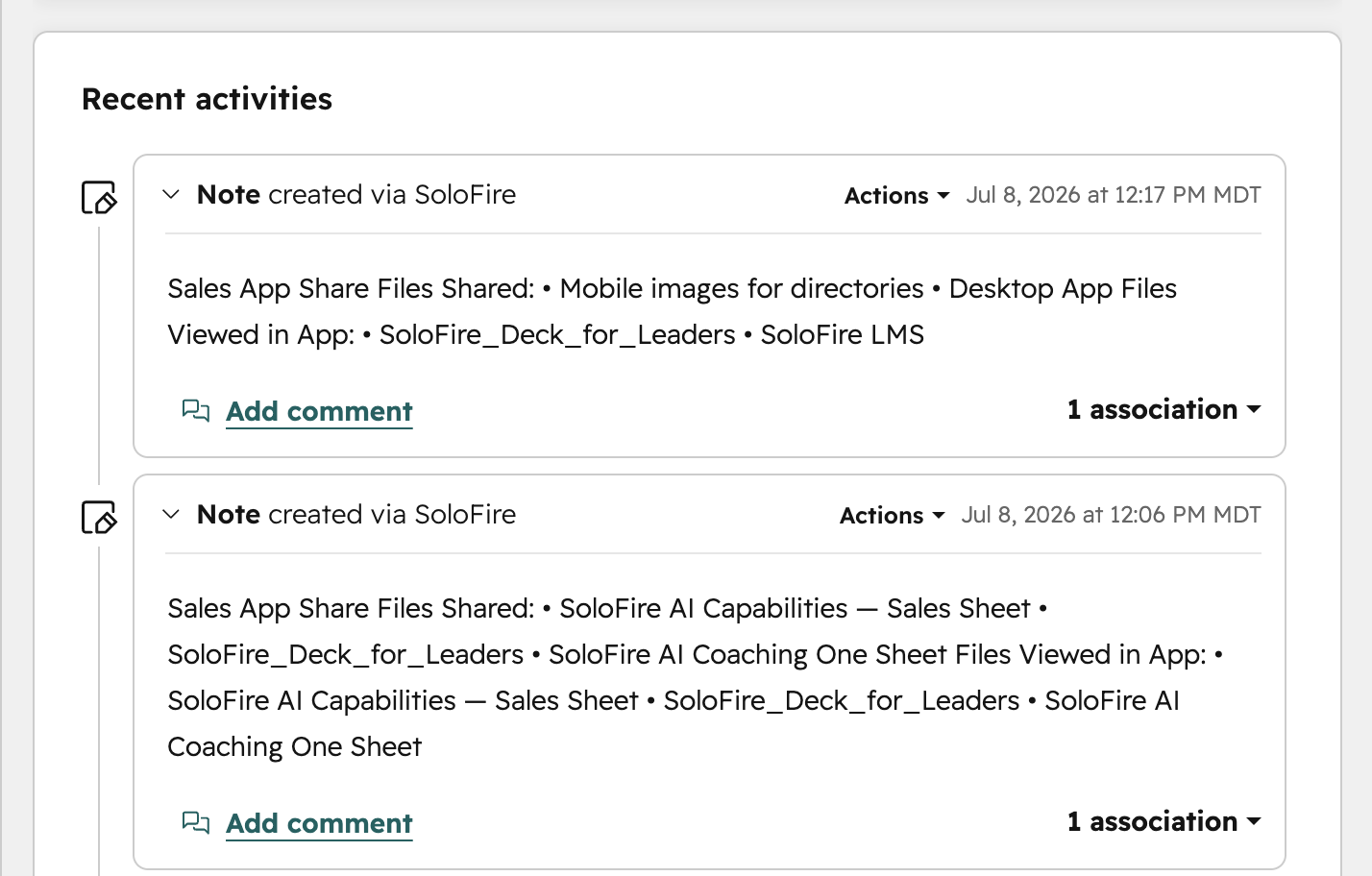
Not every rep has a Salesforce, HubSpot, or Dynamics seat — distributor reps especially. The built-in SoloFire Contact Manager gives them contacts, deals, tasks, and a simple pipeline view at no extra license cost, right alongside the content library they already use to share. Everyone manages their pipeline; nobody pays twice for a CRM seat.
Read More →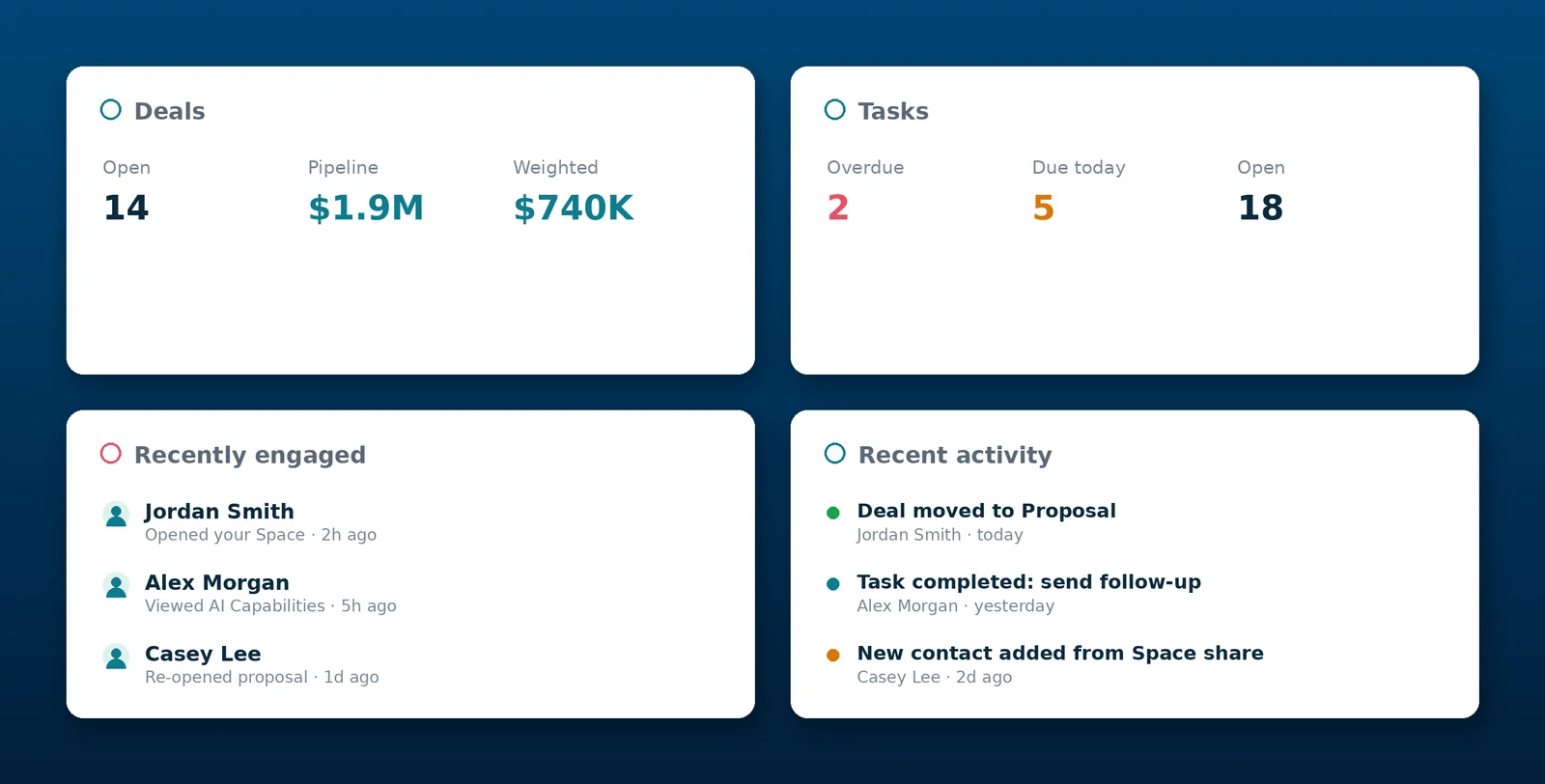
From automatic logging to single sign-on, integrations are built to remove busywork — not add another system to manage.
Every Space share attaches to the contact record automatically — a Salesforce Event, HubSpot Note, or Dynamics 365 activity with a full file-level engagement breakdown: who opened what, when, and for how long.
SoloFire is OAuth-connected to Salesforce, HubSpot, and Dynamics 365, so it pulls the matching contact automatically when a rep sends a Space — no separate directory for reps to maintain.
Reps without CRM access can tag shares to native iOS or Android contacts on the spot, or manage the relationship in the built-in SoloFire Contact Manager instead.
Running Dynamics instead? Every touch logs itself there automatically too, right alongside Salesforce and HubSpot.
WorkOS-based SAML and OIDC support auto-provisions users through Okta, Azure AD, or Google Workspace — no manual account creation for IT to manage.
Reps connect their own monday.com account with a secure sign-in, attach a monday CRM contact when they share, and the share posts as an Update on that contact's item — notes included. Ask us to turn it on for your team.
Rolling SoloFire out past a pilot team means IT needs a real answer on access and audit — not a workaround. WorkOS-based SSO supports SAML and OIDC for any identity provider, with auto-provisioning so new reps get access without a manual request. Three-tier roles — Admin, Contributor, and User — enforce row-level security at the database, and a tokenized invite system keeps an audit trail of who was added and by whom.
Works with your identity provider
Okta
Microsoft Entra ID
Google Workspace
Auth0
Plus any other SAML or OIDC provider.
SoloFire integrates with Vodori, the compliant content management platform for medical device, diagnostics, and pharma teams — so the materials that clear MLR review are the materials your reps share in the field.
And once content is approved, reps don't even have to leave the browser to use it: SoloFire for Chrome puts the library and Spark AI in a side panel next to any tab, so a rep can build and share a tracked Space from wherever they're working. Free on the Chrome Web Store.
 Vodori
The branded, trackable microsite every Space share is built from — and the source of the engagement data that flows into your CRM.
One centralized, permissioned, offline-ready library so every rep — CRM seat or not — always shares the current, approved asset.
See how the built-in Contact Manager gives channel partners a pipeline view without buying them a CRM license.
Common questions about SoloFire's CRM integrations and access controls.