
SoloFire is sales content management software that gives medical device and life science reps one centralized, branded sales content library — organized, permissioned, and always current — with instant updates, offline access on every device, and full visibility into what content actually gets used.
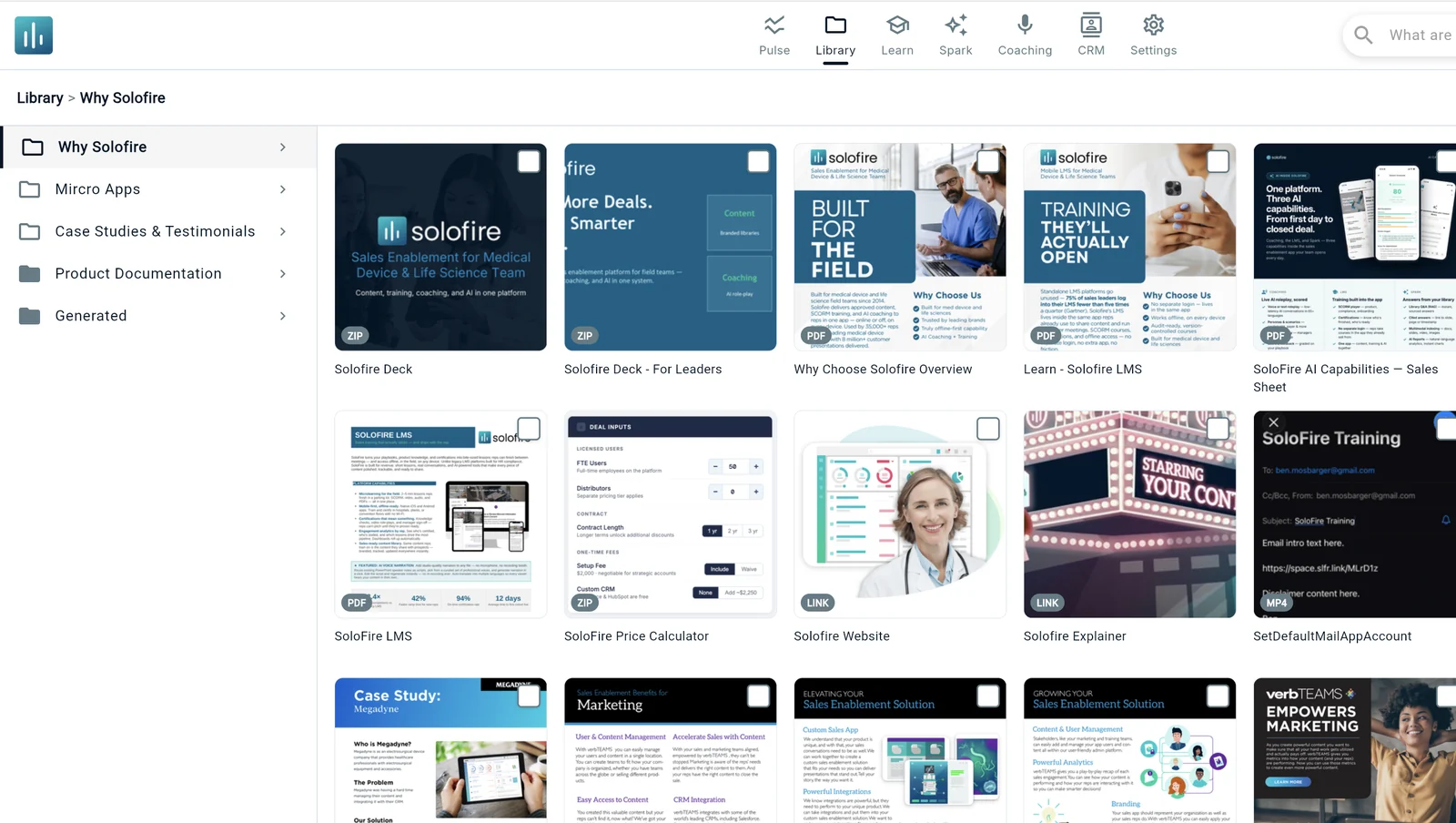






Sales content management is the discipline of organizing, controlling, and tracking every asset your field team presents to a customer — from a single source of truth, instead of scattered folders, email attachments, and whatever's saved on a rep's laptop. SoloFire replaces the folder chaos with one centralized library: hierarchical folders and sub-folders that mirror how your teams actually sell, with permissions that cascade automatically so adding a folder grants the whole branch.
Read More →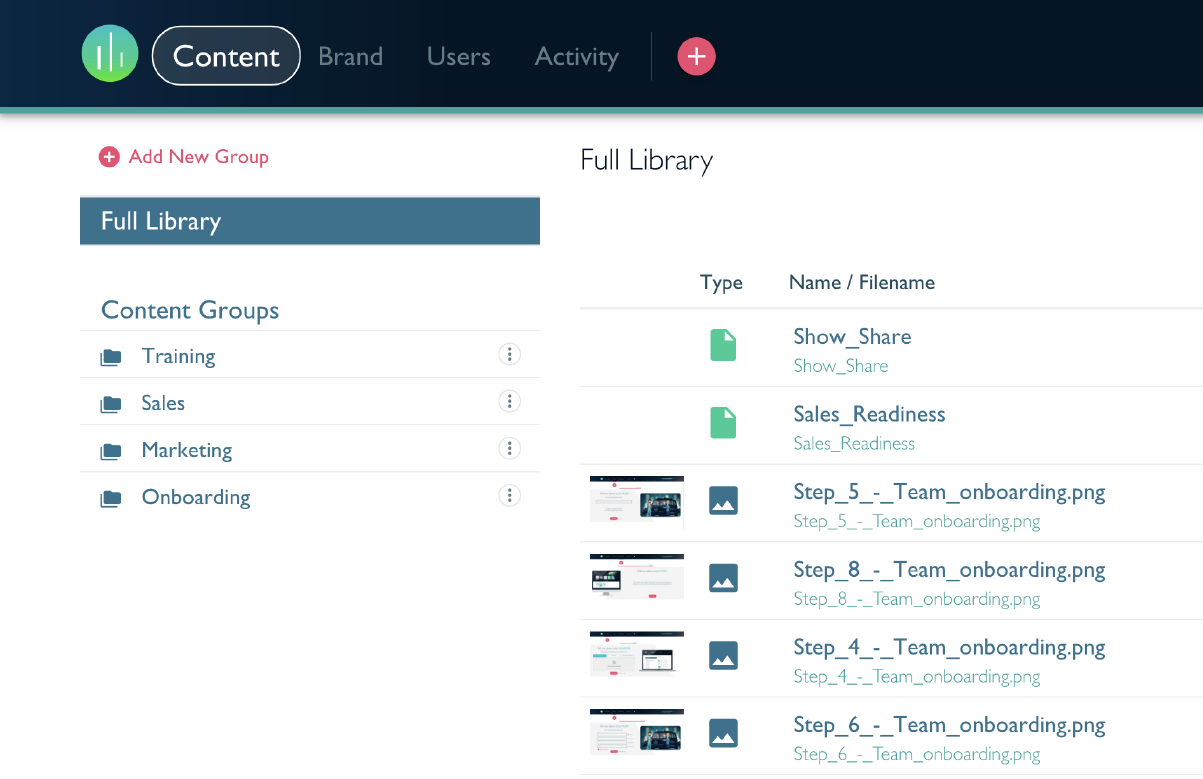
The moment a claim, price sheet, or IFU updates, every rep sees the new version — no more emailing the "latest" deck and hoping it lands. SoloFire keeps one active version visible to reps at a time, archives older versions automatically, and gives marketing a single publish point instead of a distribution problem.
Read More →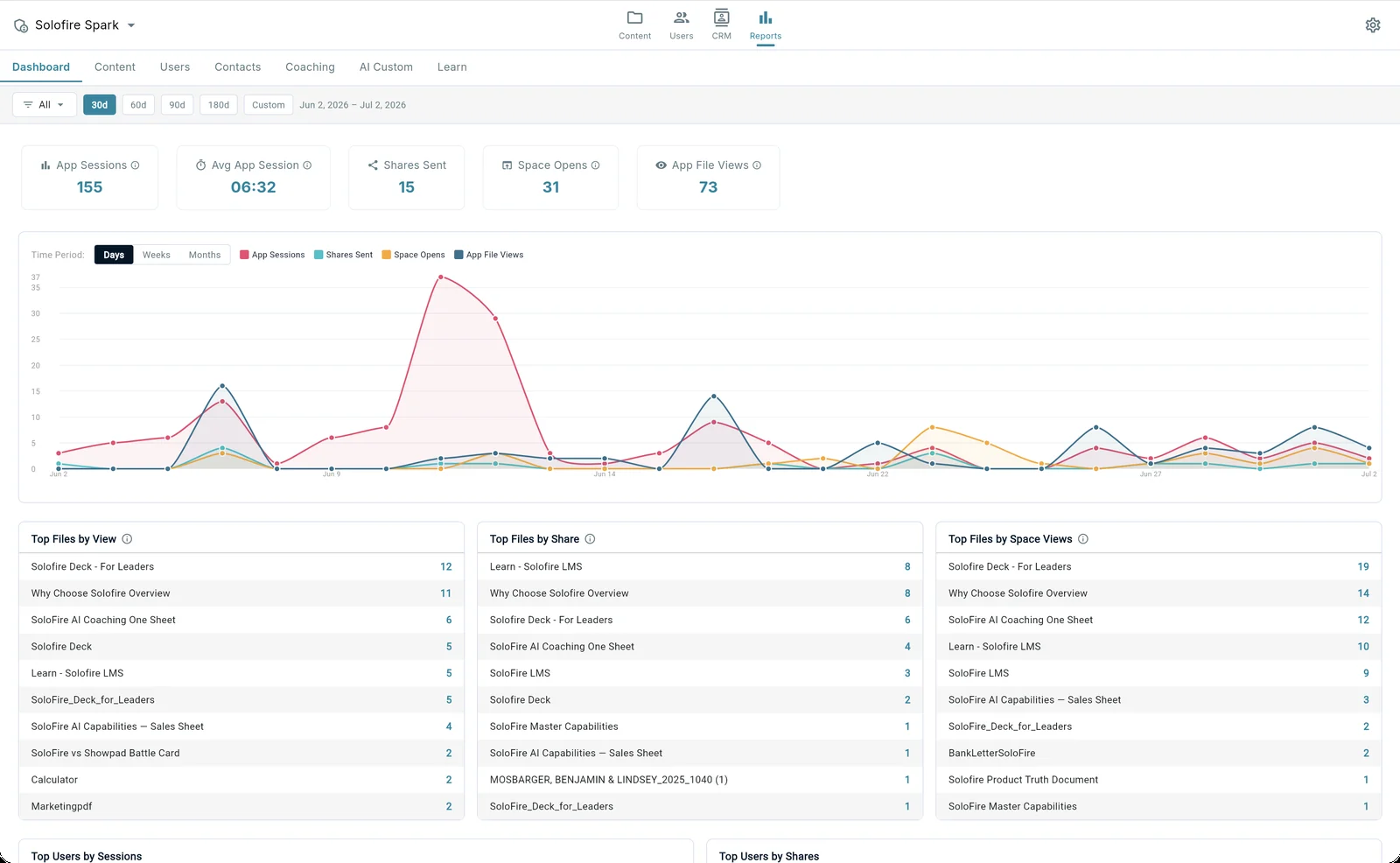
SoloFire is built around one content engine that serves both sides: a governed, branded library for marketing, and instant, offline access for reps in the field.
Hierarchical folders, sub-folders, and files organized the way your teams actually sell. Universal asset support — PDFs, videos, images, audio, web links, ZIP-packaged microsites, and customizable PowerPoint decks — all viewable in-app on any device.
Bundle a content tree with brand colors, logos, and styling into a configuration, so each product line, region, or partner gets its own white-labeled experience. Reps assigned to more than one configuration switch between them in one tap.
One active version visible to reps; older versions archived automatically. When content updates, every rep sees the new version instantly — no re-sending decks, no guessing which PDF is current.
Three-tier roles — Admin, Contributor, and User — with row-level security enforced at the database. Content Contributors let regional or product teams curate their own folders without touching the global library.
Native apps on iOS, Android, macOS, and Windows, plus web — one feature set, one sign-on, everywhere. Every asset and interaction is cached on-device; the app reads from local data first and syncs deltas the moment connectivity returns.
Spark, SoloFire's AI layer, applies automated tagging and descriptions the moment a file is indexed — plus auto-generated thumbnails and AI-friendly metadata on PPT conversion — so nothing sits in the library unlabeled and unsearchable.
Marketing shouldn't have to choose between control and flexibility. Configurations bundle a content tree with brand colors, logos, and styling so every division, product line, or region looks distinct — while marketing still governs the underlying library from a single console. Reps get tagging, search, and favorites so any asset is found in seconds, no matter how the library is organized underneath.
Marketing invests heavily in content and rarely finds out what happens to it after publish. SoloFire closes that loop with usage analytics built into the same library reps work from every day.
Why version control and permissioned libraries matter the moment content leaves marketing's hands — and how to keep every rep on the current, approved asset.
Read the Article →What actually breaks down when marketing and field sales share content over email and shared drives — and how a centralized library fixes it.
Read the Article →Share content from your library as a branded, trackable microsite — no attachments, no login for the recipient.
Host certifications and onboarding courses directly in the same app reps use for content, with quizzes and progression tracking.
Reps practice live, voice-driven roleplay grounded on the same content library they use in real calls.
Common questions about sales content management for medical device and life science teams.