
SPARK AI The intelligence layer of SoloFire

One AI, trained on your content, powering everything your team does.

Spark AI is your company’s own AI — trained on your actual PDFs, videos, slide decks, and training. It’s the engine behind SoloFire’s AI assistant, document chat, auto-tagging, question generation, and reporting. Ask it anything; every answer cites the exact slide, page, or video timestamp it came from.

See what Spark can do ↓

Spark AI answering a rep's question with cited sources
One Engine, Everywhere

Spark isn’t a feature. It’s the foundation.

Most platforms bolt an AI chatbot onto the side. SoloFire is built the other way around: Spark is the AI layer underneath the platform, and everything it touches gets smarter.

AI assistant

Ask questions across your entire library and get cited answers in seconds.

Document chat

Open a conversation with any single file — summaries, follow-ups, exact claims.

Auto-tagging & descriptions

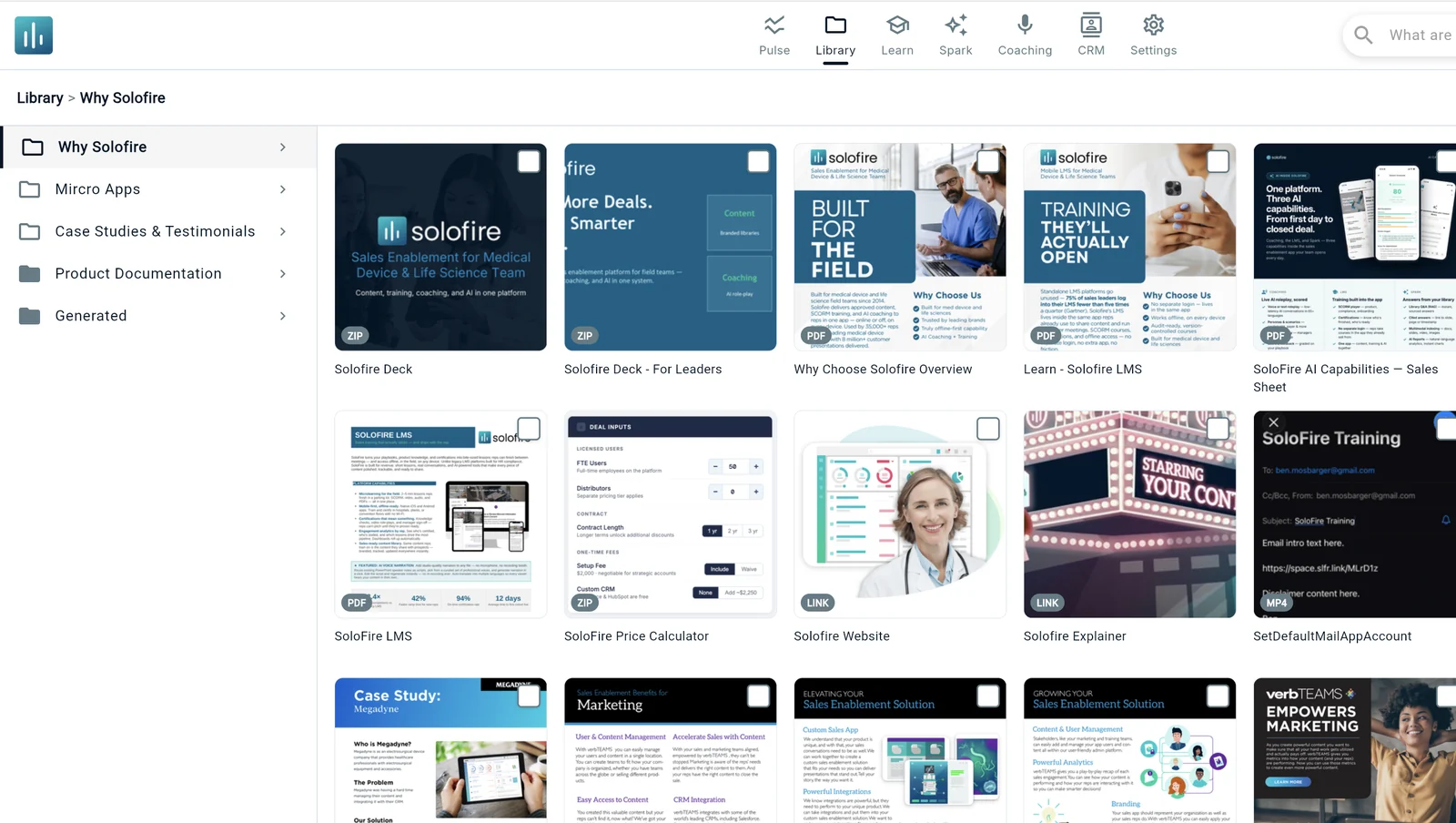
Every upload gets tagged and described automatically, so content is discoverable from day one.

Question generation

Add content and Spark auto-generates questions from it — turning your materials into training.

AI reports

Plain-English questions become instant charts on your real engagement data.

Grounded coaching

AI Coaching role-plays draw on the same content corpus — so objections and product details match reality.

The Findability Problem

The right answer exists. It’s on slide 34 of a deck your rep forgot about.

Field teams don’t lose deals for lack of content — they lose them because the right claim, the right proof point, or the right objection-handler can’t be found in the moment it’s needed. Spark AI turns your entire approved library into something reps can simply ask.

Ask in plain language.

“Show me objection-handling for the security review.” “What’s the latest battery-life claim?” No folder-diving, no keyword guessing.

Get an answer with receipts.

Spark responds with the answer and the source — the exact slide, page, or video timestamp — so reps verify before they cite.

Share the source, not a screenshot.

The rep jumps straight to the approved asset and shares it through SoloFire — tracked, branded, and compliant.

One question searches everything — even what’s said inside a video.

Spark indexes your whole library through one query interface, so a rep’s question is answered from wherever the answer actually lives.
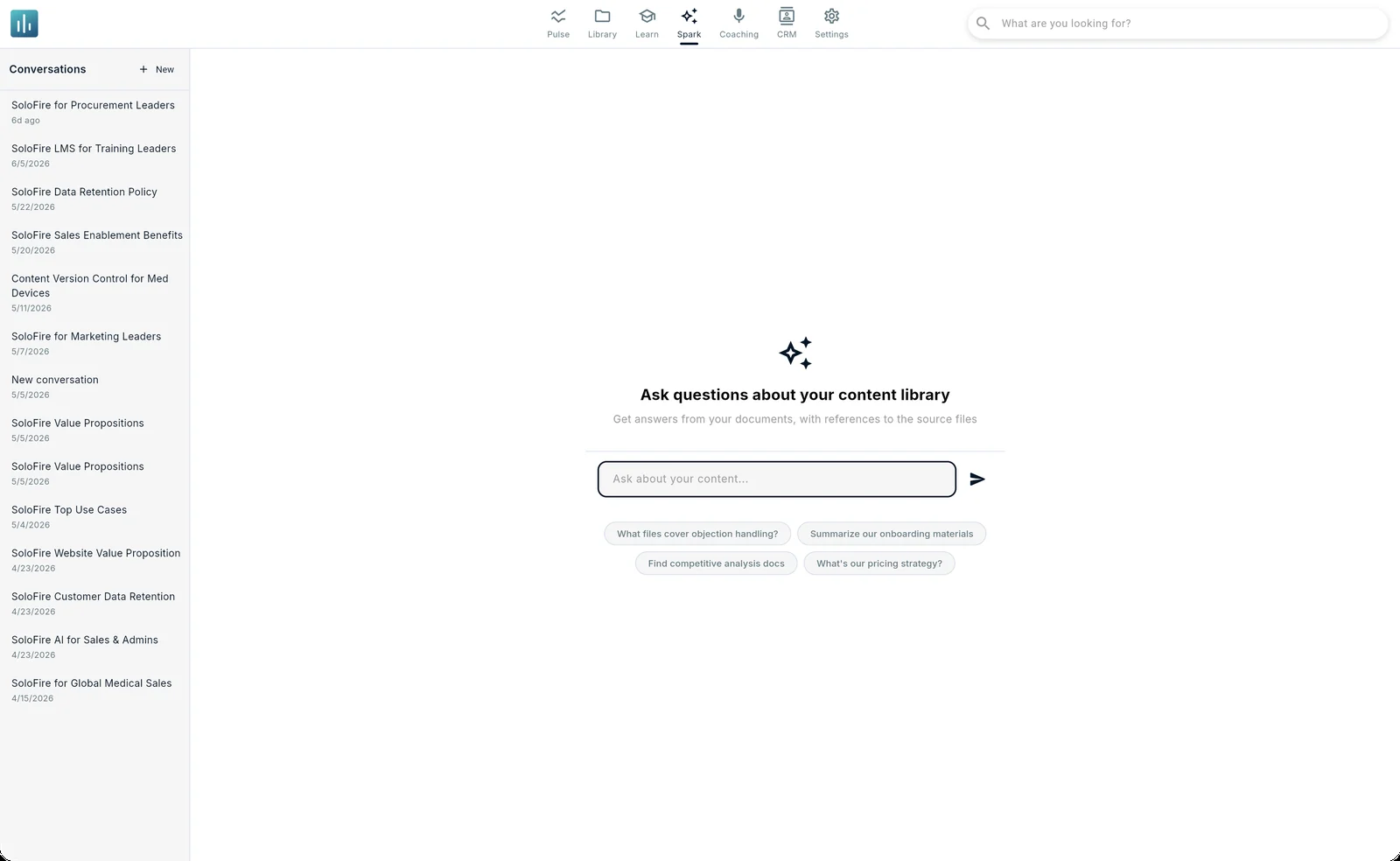
  • PDFs and documents — down to the page.
  • Slide decks — high-fidelity indexing built for visual-heavy PowerPoint content.
  • Videos — auto-transcribed and searchable by timestamp.
  • Images and web content — indexed alongside everything else.
Spark AI library-wide question and answer with citations

Chat with any single document instead of reading all of it.

Forty-page clinical PDF, ten minutes before the meeting? Reps open a chat with that specific file — get the summary, ask follow-ups, and pull the exact claims they need without reading front to back.
  • Instant summaries of long documents.
  • Follow-up questions scoped to just that file.
  • Cited responses so nothing is taken on faith.
SoloFire content library with AI-generated metadata
AI REPORTS For managers & marketing

Reporting in plain English. Charts in seconds.

Ask “Show me which reps shared the new whitepaper this month” and get an instant chart — no report builder, no export-to-Excel gymnastics. Spark’s AI reporting sits on top of the same engagement data that powers Pulse.
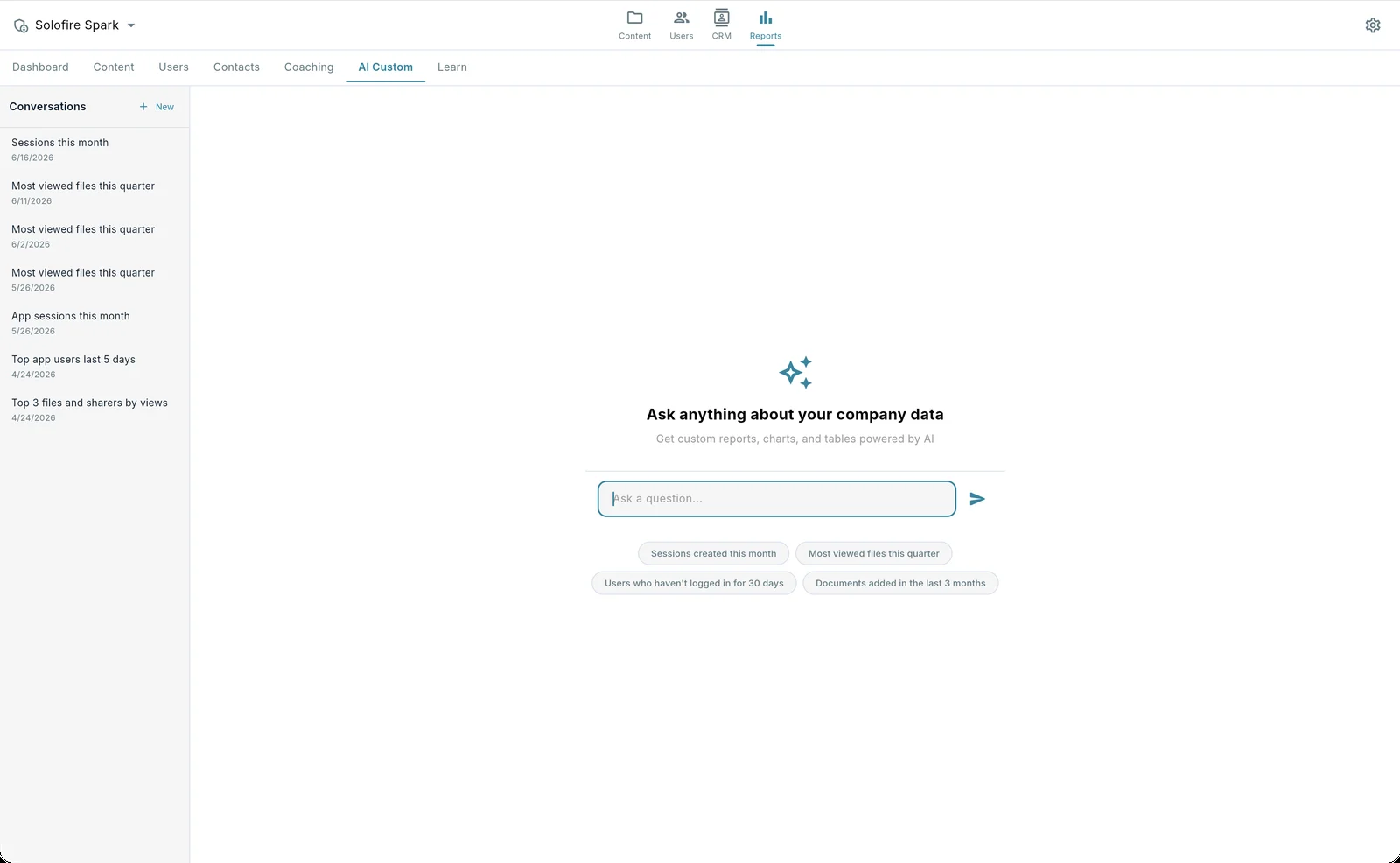
  • Natural-language reports. Type the question, get the chart.
  • First-draft marketing copy. Generate content drafts right inside the admin console.
  • Built on real engagement data. The same source of truth as your Pulse dashboard.
Spark AI generating a custom report from a natural-language question
Zero-Effort Organization

Upload a file. Spark does the librarian work.

Every asset you add gets processed automatically — so the library stays organized without anyone playing content janitor.

Auto-tagging & descriptions

AI-generated metadata is applied the moment a file is indexed, so search works on day one.

Auto-generated thumbnails

Every uploaded asset receives professional preview images automatically.

PPT auto-conversion

Slide decks convert to web-ready slides with AI-friendly metadata — no manual exporting.

Smart recommendations

Spark suggests the most relevant content to share next, based on what your materials are actually about.

Answers you can defend in a regulated industry

Spark answers only from your approved, indexed library — not the open internet — and cites its source every time. In medical device and life science sales, “where did that claim come from?” always has an answer.

Your data stays yours

SoloFire does not use customer data to train generalized or third-party AI models. Your content powers answers for your team — nobody else’s.

AI included in every plan. Yes, every plan.

Competitors gate AI search behind their most expensive tiers. Spark AI — along with AI Coaching, Voice Narration, and AI reports — is included in every SoloFire plan, with generous usage allowances.

Spark AI FAQ

Common questions from sales, marketing, and IT teams.

Contact Us
PDFs, slide decks, videos (auto-transcribed), images, and web content are all indexed through one query interface. Reps ask one question and Spark searches everything — including what’s said inside a video.
Every Spark answer cites its source — the specific slide, page, or video timestamp it came from — so reps can verify before they repeat it to a customer. Spark answers only from your approved, indexed content, not from the open internet.
No. SoloFire does not use customer data to train generalized or third-party AI models. Your content powers answers for your team only.
Yes. Spark AI is included in every SoloFire plan — Core and Enterprise — with generous usage allowances. Competitors gate AI search to their higher tiers; we don’t.
Spark needs an internet connection to answer questions. The rest of SoloFire — content, training, and Spaces — works fully offline as it always has. Note that Spark answers from indexed files, so newly uploaded content becomes searchable once indexing completes.

See Spark AI on your own content.

Bring a deck, a clinical PDF, and a product video to the demo — we’ll show you what your reps could ask.