
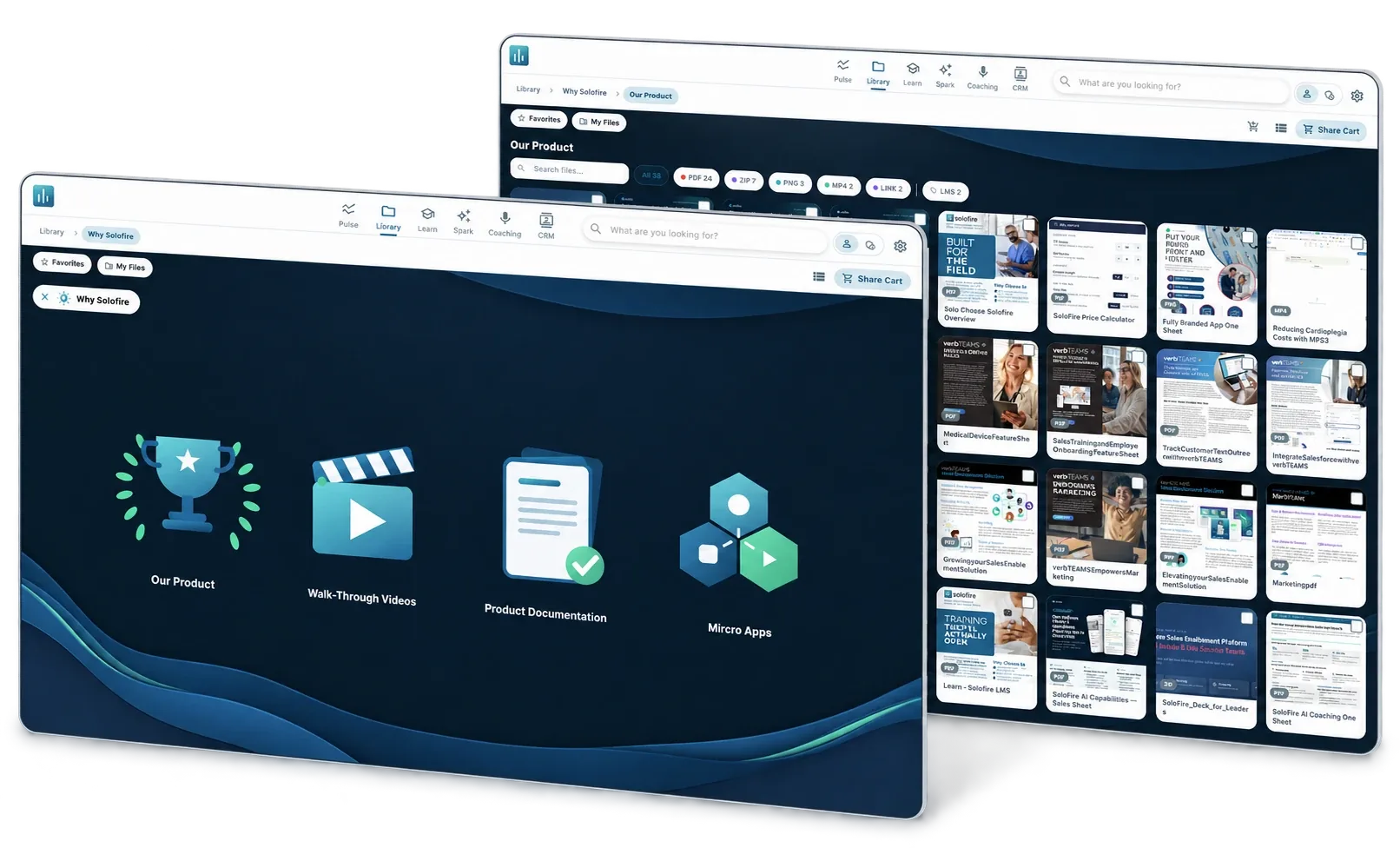
Your enablement vendor merged, or the renewal notice landed, and the decision to move is made. What is not decided is who moves 1,200 files, forty folders, three distributor groups and every link your reps have pasted into emails since 2023, because the marketing team is two people and neither has a free month.
It is the question we hear most on first calls this fall: "Who does the migration? I don't have staff for it." This guide answers it, then covers the rest of a sales enablement migration: what moves, the places to update when the old links die, how to keep rep adoption, and a realistic timeline for a 50 to 500 rep medical device team.
What goes wrong when a migration is done badly?
Three things, and none of them is the file transfer. Adoption: reps who open a half-populated library with broken thumbnails go back to the desktop copies they kept. Compliance: a withdrawn brochure that survived the move as a duplicate is live in two places, which on a regulated team is an audit finding. And a migration that drifts past the old contract's end date means paying two vendors.
Who does the work decides all three. If the vendor's answer is a template and a help article, the project lands on your marketing lead. Pick a vendor that treats migration as part of the deal: SoloFire's Zero Overlap switch program includes content transfer, SCORM conversion, folders and permissions, admin training and rep onboarding, and the first invoice is dated the month the old contract ends, so the schedule has room. Whoever you choose, what follows is the plan to expect.
Who actually does the migration: the vendor, you, or a partner?
- The vendor does it. Their onboarding team takes your export, builds the folder tree, converts what needs converting and hands you a test environment with your real content in it. You review; you do not drag files. Ask for this model, in the order form.
- You do it. Realistic for a few hundred files with no SCORM and no SSO. Beyond that it is a month of someone's time budgeted for something else.
- A partner does it. Consultancies scope it per file or per day. Sensible when you are also restructuring the content; not when you want the same library in a better app.
Whoever does the moving, settle these in writing before signature.
- Scope, item by item: files, folder tree, permission groups, user list with roles, SCORM courses, active buyer-facing share links, integrations. Anything not on the list is yours. Who maps the folders, and how many rounds of review you get.
- What is excluded. Historical analytics rarely transfer; get that in writing so you export reports before the old tenant closes.
- Price. "Included" should appear in the order form with the scope under it. A services quote that arrives after signature is the pattern to avoid.
- A named person, a cutover date tied to your old contract's end date, and access to the old tenant for 30 days after cutover.
What moves, and what should stay behind?
"Move everything" is the instinct, and it is the most expensive instruction you can give a migration team, because reps scroll past every file that comes over for years. Our 2026 engagement report found that only 12.9% of library items were shared with a buyer in twelve months. The rest is reference material, duplicates, superseded versions and things uploaded because they existed.
Start with the file list, not the files. Export it from the old platform (most will give you a spreadsheet of every item with its folder, upload date and last view), sort by last viewed, and decide in four buckets.
| Bucket | What goes in it | What happens to it |
|---|---|---|
| Move as is | Approved, current, viewed or shared in the last twelve months | Transfers with its folder, permissions and tags. Check the thumbnail on arrival. |
| Move and fix | Current, but with an old thumbnail, a generic file name, or a PowerPoint the old platform flattened to PDF | Re-upload the native file so animations survive; set a custom thumbnail; rename it so search finds it. |
| Archive | Superseded versions, expired claims, products you no longer sell, anything compliance has withdrawn | Keep a copy in your document system for the record. It does not enter the new library. |
| Delete | Exact duplicates, test uploads, personal files that ended up in the shared library | Gone. Deduplicate before the move, so a duplicate is never live in two places. |
The two cleanup jobs that come up on almost every move, old thumbnails attached to current files and the same one-pager in three folders, are cheapest to fix on the file list, before anything moves. The rules for who owns each asset, which version is live and when it expires are in our guide to content governance for regulated field teams; a migration is the one time you can apply them to the whole library at once, so that what arrives is one source of truth for sales content rather than a copy of the old sprawl. Keep the folder structure reps already know; reorganize later, not during.
Which places have to be updated when the old platform goes dark?
The request we hear from enablement leads is for "a checklist of all the places we have to go update things." Here it is. Each line holds a link, a login or a habit that points at the old platform, and each one missed becomes a support ticket in week two.
- CRM. Content links in opportunity notes, templates and activity records, plus the old platform's connected app, which comes out once the new CRM integration is live.
- Email templates and sequences. Every template and sequence step that links to a brochure or a deck.
- Intranet and wiki links. The sales resources page, the onboarding wiki, the distributor portal.
- Training decks and onboarding guides. Screenshots of the old app and instructions that reference its menus.
- QR codes on print and short links. Banners, product inserts and brochures that resolve to an old share link. Change the short link's destination where you can, reprint where you cannot.
- SSO and provisioning. The old app in your identity provider; the new SAML application and, if you use it, SCIM provisioning from the directory.
- Browser extensions and plugins. The old vendor's Outlook, Gmail or Chrome add-ins on every rep's machine. Remove them, or reps keep sharing from the old library.
- Compliance system connectors. If approved content syncs from a regulated content management system, rebuild the connector so withdrawn content stays hidden automatically.
- Reminders and the old tenant. Review reminders and expiry alerts; a read-only date, a closure date, and written confirmation that your data has been deleted.
Assign an owner and a date to each line. For 50 reps this is a two-hour meeting; for 500 with distributors it is a project tab of its own.
How do you keep rep adoption through the switch?
Reps should never open an empty app. Three practices keep that true.
Run both platforms in parallel, briefly. Four to six weeks. The new library is complete and tested before a single rep is invited, the old one stays as a fallback, and the cutover date is announced. Any longer and reps settle into whichever app they opened first.
Put the announcement where reps already look. Email is where launch messages go to die. The new platform's home screen should carry the announcement on day one with the folder map, a one-page how-to and the most used content attached. In SoloFire that is an announcement on the Pulse home screen, targeted to a configuration, with the files attached so they open directly; batch invites go out with roles and teams pre-assigned, and reminder emails follow anyone who has not accepted.
Make the first week count. Invite in waves, managers first, and ask every rep to share one piece of content with a real customer from the new app in week one; a tracked share is a better adoption signal than a login. Then watch two numbers for thirty days: reps who have shared at least once, and files nobody has opened.
How long does a migration take for a 50 to 500 rep medtech team?
Four to six weeks for 50 reps with one library and no SSO; eight to twelve for 500 reps with distributor groups, SCORM courses, SSO and a CRM integration.
| Phase | 50 reps | 500 reps | What has to be true at the end |
|---|---|---|---|
| Export and audit | Week 1 | Weeks 1 to 2 | File list sorted into four buckets; folder and permission map agreed; analytics exported. |
| Transfer and build | Weeks 2 to 3 | Weeks 3 to 6 | Content in place, thumbnails checked, native PowerPoints re-uploaded, SCORM imported, active share links rebuilt. |
| Systems | Week 3 | Weeks 4 to 7 | SSO and provisioning live, CRM integration connected, places-to-update list half done. |
| Pilot | Week 4 | Weeks 7 to 8 | Five to ten reps and two managers using it offline in real accounts. |
| Rollout and parallel run | Weeks 4 to 6 | Weeks 8 to 11 | Invites in waves; announcement live; every rep has shared once. |
| Cutover | Week 6 | Week 12 | Old platform read-only, then closed; checklist complete; deletion confirmed. |
Work backward from the old contract's end date and its notice window, usually 60 to 90 days. If the date is closer than the plan allows, the order stays the same; the audit gets stricter.
What should you ask about the Seismic and Highspot merger specifically?
Seismic completed its merger with Highspot on August 18, 2026, and Showpad and Bigtincan were combined under one owner in October 2025. The migration question is now unavoidable even if you stay: two overlapping products become one, and the customers on the other get moved. Aim the questions above at a vendor who may be both your old platform and your next one, plus these.
- If we stay, will we be migrated to the surviving product line, when, and who does that work? Ask for it in writing, with a date.
- Will our export be usable: native files, a folder and permission map, a user list and the active share links, not a proprietary archive?
- Does the surviving product work offline the way ours does, and what happens to our analytics and CRM history if we are moved?
If the answers are thin, the comparison pages for Highspot alternatives and Seismic alternatives set out what changes for a field team on each side of that merger.
What good looks like
Picture a marketing lead at a 120 rep diagnostics company who gives notice in September, with a March end date. The new vendor takes the export in October and sends back a folder map; she spends two afternoons on the file list and cuts 1,900 items to about 650. Native PowerPoints go back in so the animations work, and active customer links are rebuilt before anyone is invited. Managers are invited in week six, reps in waves after that, with the announcement on the home screen the morning they log in. By cutover nearly every rep has shared from the new app, and the first invoice lands in March, the month the old one stops.
Start with the file list and the contract end date; everything else is sequenced between them. If a vendor will not put the migration scope in the order form, that is your answer. To see your own library after the move, with the overlap covered until your contract ends, map the switch against your contract or book a demo and bring the export.
Frequently asked questions
Who does the migration when you switch sales enablement platforms?
The vendor you are moving to, with the scope in the order form: files, folder tree, permissions, user list, SCORM courses and active share links. Your team reviews the folder map and decides what to retire. Doing it yourself is realistic only for a few hundred files with no SCORM and no SSO.
How long does a sales enablement migration take?
Four to six weeks for a 50 rep team with one library and no SSO; eight to twelve weeks for a 500 rep team with distributor groups, SCORM courses, SSO and a CRM integration.
Does analytics history transfer between sales enablement platforms?
Usually not. Engagement history, share analytics and CRM activity logged by the old platform rarely move between vendors. Get that in writing and export every report you want to keep while the old tenant is open.
How do you migrate from Highspot after the Seismic merger?
Treat it as a migration whether you stay or leave. If you stay, ask in writing whether and when you will be moved to the surviving product line and who does that work. If you leave, get a usable export (native files, a folder and permission map, a user list, the active share links), sort the file list into move, fix, archive and delete, and rebuild active links before cutover.